
FreeMind
Enable easy embedding of FreeMind maps in your PmWiki pages.
Description
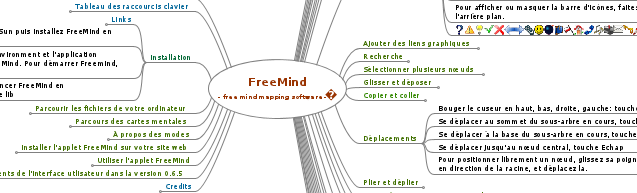
The recipe finds Attach: links to uploaded FreeMind *.mm files and embeds them into the page for viewing/browsing. The embedding is done via Java or Flash plug-ins created by the authors of FreeMind.
The recipe is unobtrusive: if the browser doesn't support JavaScript, Java or Flash, the visitor will still be able to download the MindMap file.
Demo.
Installation
Get freemind.zip.
- Copy the freemind directory to your pmwiki/pub directory.
- Add to local/config.php such lines:
  $UploadExts['mm'] = 'application/x-freemind'; # allow *.mm attachments
  $HTMLFooterFmt['freemind'] = '<script type="text/javascript"
    src="$FarmPubDirUrl/freemind/freemind.js"></script>';
Usage
To embed a mind map, just use an Attach: link to upload the file. The program will recognize only links with text starting with "Attach:" and a file name ending in ".mm". So, it is possible to disable the embedding by simply changing the link text:
- a link
[[Attach:MyMap.mm]]will cause the map to be embedded - a link
[[Attach:MyMap.mm|some text]]will prevent the map to be embedded
The width and height of the embedded map can be customized via the title attribute of the link:
[[Attach:MyMap.mm"w=800 h=300"]]will embed a map 800 pixels wide and 300 pixels high[[Attach:MyMap.mm"w=90% h=600"]]will embed a map wide 90% of the available width, and 600 pixels high- the default size is 100% width and 500 pixels height.
The program will also recognize links starting with "FreeMind:" in addition to "Attach:". This allows wiki admins to set InterMap links to URLs outside of the default upload directories.
Configuration
It is possible to change some settings at the beginning of the file freemind.js.
The variables FMjava and FMflash set the priority for loading each plug-in; the higher number is tried first, zero disables the plug-in.
For example, setting FMflash to 3 will cause the Flash plug-in to be loaded, if Flash is supported by the browser. Leaving it to 1, while FMjava is 2, will load the Java plug-in, if it is supported by the browser. If one plug-in is not supported, the other will be used.
You can disable one of the plug-ins in the wiki page, add to the link tooltip title format noflash or nojava.
The original Java plug-in is close to the FreeMind software interface and rendering, but it is a large file and not all browsers support Java. The Flash plug-in shows mind maps in a slightly different way than the original; it is much lighter and possibly more browsers can show it.
The variables FMwidth and FMheight set the default sizes of the embedded map. They can be overridden in the wiki page with the tooltip title attribute of the link.
Notes
- To see an embedded mind map, JavaScript, and either Java or Flash need to be enabled on the browser of the visitor.
- The recipe was not extensively tested on MSIE browsers.
- It is possible to look at the mind maps, open and close nodes, but not to make changes and save them in your browser.
- Inserting many mind maps in a page may not work well on older systems.
Change log / Release notes
- 20120412a fixed MSIE compatibilities, added "noflash" and "nojava" variables
- 20120412 first public release, ready to be tested
See also
- Cookbook /
- MindjetMap Embedding a Mindjet MindManager Map (first release)
- PmGraphViz Produced graphs using graphviz inside of PmWiki. (Stable)
- VietMap Convert and view lists as simple mind maps. (Experimental)
Contributors
- PmWiki recipe written and maintained by Petko (5ko [snail] 5ko [period] fr). The Java and Flash plug-ins are written by the authors of FreeMind.
- If this recipe helps you or saves you time, you can help support its continued development by ♥ making a small contribution..
Comments
See discussion at FreeMind-Talk
User notes : If you use, used or reviewed this recipe, you can add your name. These statistics appear in the Cookbook listings and will help newcomers browsing through the wiki.