
GoalMeter
Questions answered by this recipe
I like to add a fundraising thermometer on a page.
I like to display bar graph images.
Description
Show a thermometer or column with goal and current values. Install goalmeter.phpΔ the usual way by copying file to cookbook/ direcory and adding to a local configuration file:
include_once("$FarmD/cookbook/goalmeter.php");
For PHP 5.5 or 7.2 or newer please get goalmeter-php72.phpΔ instead.
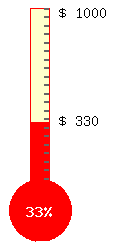
Then use in a page the markup (:goalmeter current=... goal=... :) to display a standard thermometer image. The values to use for current= and goal= can be a combination of a number and other characters, for instance £ 3000, $10.000, 500 units.
To customise the image you can add lots of parameters. You can have multiple goalmeters on one page. Set height=... for custom height. Image width will be calculated automatically, but you can also set it with width=.... You can set fontsize, bar thickness and colors for filled and empty space and bulb. The background color is transparent by default, and other colors can have a alpha transparency number added. You can turn the thermometer bulb off with nobulb=1, which results in a column display. Text and scale colors can be changed. Standard padding can be changed.
  Default settings:
    'current' => '0',    # current value
    'goal'    => '100',  # goal value
    'max'     => '',     # max value as alternative to goal, goal will not be displayed
    'height'  => '360',  # outer height
    'width'   => '',     # outer width, default automatic calculation
    'bar'     => '3',    # bar thickness 1 ... 5
    'font'    => '4',    # font size 1 ... 5
    'bg'      => 'ffffffff',# background color (transparent)
    'fill'    => 'FF0000',  # main fill and border color
    'topfill' => 'FFFFCC',  # top fill color
    'bulbfill'=> '',        # bulb fill color (defaults to main fill color)
    'scale'   => '666666',  # scale color
    'value'   => '000000',  # value text color
    'percent' => 'FFFFFF',  # percent text color
    'border'  => '',    # outer border color
    'nobulb'  => '',    # set to 1 for column only display
    'noscale' => '',    # set to 1 for no scale display
    'padding' => '8',   # img padding
    'rpad'    => '40',  # right hand extra padding
    'base' => '',       # pagename of base page to check for page modifications
The resulting image(s) are stored in a cache directory with unique filenames as png images. The markup directive only constructs images fresh if the page is updated. Make sure to force a page refresh after changing any parameters in the markup, to force the new image file to be loaded.
- base=pagename
- set a base pagename if values are extracted from PTVs from another page (the base page). This will ensure that the goalmeter image is regenerated if a page change occurs on that page (which might be an updated value for the PTV used).
You can see a demo here: http://softflow.co.uk/design/Test/GoalMeter
Notes
The server needs to have the php GD library installed, which supports image functions. See www.php.net/gd
Release Notes
- 2009-01-29: added base= optional parameter, to specify a base pagename, for modification time check. Default check is for current page, and image updates are no longer triggered by latest wiki-wide page changes, which should decrease php system demands. Image ids are now generated automatically.
- 2007-04-25: Added
$pagenameto filename of image files, to support goalmeters on different pages. - 2007-04-24: Added noscale=1 parameter to suppress display of scale. Added max= parameter as alternative to goal= , max= will set goal value, but not display this value.
- 2006-11-10: Initial release. Script based on thermometer script by Wendell Brown, Thank you!
Comments
See Discussion at GoalMeter-Talk
Simon Brown 16/Nov/06 I added this recipe but I get an error message; Fatal error: Call to undefined function: imagefontwidth() in c:\inetpub\wwwroot\pmwiki\cookbook\goalmeter.php on line 66
When I try to preview or save. I am using Wiki 2.2.0.beta2 with the triad skin Any ideas?
I think your server does not have the GD graphic library installed. Probably not part of your local default php installation. See www.php.net/gd. ~HansB
Currently, the recipe uses $LastModTime which forces a regeneration of the pictures if any page on the whole wiki is modified. May I suggest that it regenerates them only if the embedding page itself is changed? It will use less server resources. Also, an automatic id could be added with static $id=0; $id++; which should be simpler/easier for authors. --Petko January 29, 2009, at 01:14 AM
Recipe now updated. No more use of $LastModTime. By default only changes to current page will trigger image regeneration. For the case the markup is using a parameter witha PTV from another page, a base=pagename parameter can be set, so the image will regenerate on changes to that page. I did not introduce a global var to enable wiki-wide mod time checking. I also followed your suggestion and generate the id automatically, thanks! - HansB January 29, 2009, at 01:35 PM
See Also
- PHPImages The script which inspired me to write this recipe.
- Progress Bar - A recipe for displaying simple horizontal percentage indicator. Doesn't require graphics library - uses only CSS.
Contributors
Sandbox
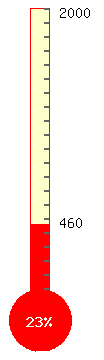
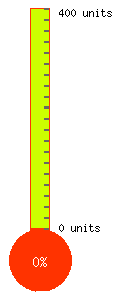
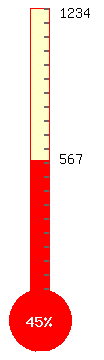
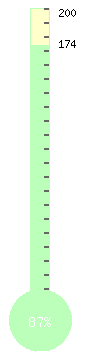
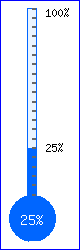
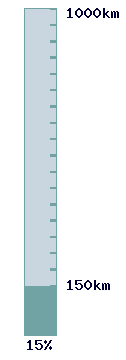
(:goalmeter goal=2000 current=460:) (:goalmeter current='0 units' goal='400 units' height=300 fill=ff3300 topfill=ccff00 font=2:) (:goalmeter goal=1234 current=567:) (:goalmeter font=2 fill=bbffbb goal=200 current=174:) (:goalmeter current=25% goal=100% font=2 bar=2 height=250 width=80 fill=0066ff topfill=ddeeff66 bulbfill=0000ff border=0000ff bg=ffffff7f:) (:goalmeter current=150km goal=1000km fill=71A3A4 topfill=92ABBF80 scale=71A3A4 value=000033 percent=000033 nobulb=1 bar=5 font=6:) |
|
User notes : If you use, used or reviewed this recipe, you can add your name. These statistics appear in the Cookbook listings and will help newcomers browsing through the wiki.