
Galleria-Talk
Please put new questions or comments at the top of the list.
Where (or how) do I:
- Get the picture description to start in the open position (without having to click the "i")?
- Move the italicized "i" down the page?
- Change from the italicized "i" to something else a bit more noticeable?
David
NEW Serious with new PHP
the /e option should be solved
~PKHG
This should fix it
SteP 2015-08-27: This change should get rid of the "The /e modifier is deprecated, use preg_replace_callback instead of..." message. Apply it only if your PHP server version is 5.5 or higher. More info
Change file cookbook/galleria/galleria.php (recipe version 2011-09-18) from:
Markup('galleria', 'inline', "/\\(:galleria\\s*(.*?):\\)/se", "Keep($galleria_fn(PSS('$1')))");
to
Markup_e('galleria', 'inline', "/\\(:galleria\\s*(.*?):\\)/s", "Keep($galleria_fn(\$m[1]))");
Incidentally, all demos on solidgone.com are plagued with this error message.
Serious Problems with MSIE (2013 Oct 17)
I'm really happy that it works now with MSIE. After not being able to get running the Galleria Recipe for MSIE, I tried MiniGalleria: it worked out of the box with the standard-layout of pmwiki. After a comparison of the layouts step by step I found out, that in most of my templates there was a initial javascript call "on load do some inits". Other initial scripts may really interfere and disturb the initialization of Galleria. MSIE is very sensitive to it: the results and error messages are not predictable anymore and errors extremely difficult to find.
It's really annoying when the site runs with all browsers, but later you remark that MSIE doesn't work, so I strongly advise:
- test always MSIE to be shure...
- if MSIE doesn't work, test with pmwiki standard layout
- test carefully when other plugins generate java script code.
- be carefull with different versions of jquery and Galleria
- if layout is correct, it works reliably with all version of MSIE :-)
Old tests Test from October 17. 2013 of the official demo site: http://wiki.solidgone.org/Galleria/Demo1 (my old tests with Vista-Laptop and "ietester")
| OS | browser | o.k.? | Comments |
| vista | MSIE 7 | o.k. | |
| win7 | msie 8 | o.k. | |
| win7 | ietester 7 | o.k. | |
| win7 | ietester 8 | o.k. | |
| win7 | ietester 9 | fail |
Tests from 17. Oktober 2013 with http://unphotographed.com/Gallery/Abstract
| OS | browser | o.k.? | Comments |
| win7 | ietester 7 | o.k. | |
| win7 | ietester 8 | o.k. | |
| win7 | ietester 9 | fail |
In my case ietester 9 failed, but I had a report that MSIE 9 was o.k. ( may do the tests later, when I have a laptop with new msie.)
It should not be necessary, to test a plain galleria installation bevor using the plugin to exclude galleria und jquery problems, as MiniGalleria worked. As I have seen in google, many people have this problem, particularly with plug-ins (for example wordpress), and the solutions are not evident to me. (mostly initalisation problems, with unpredictable results).
Regards Patrick Ogay
version problems 6 jan 2013
Version 1.2.5 of galleria works nice
If downloading and trying to use version 1.2.8 I always get strange error message/warning could not find .galleria while intializating ...
January 06, 2013, at 06:36 AM: Peter Gragert
How to edit picture captions in Galleria
I have Galleria with captions on my photos but it was the creator of my website that did that for me. He is no longer avialable to assist me in changing the captions so I was hoping you could help me with a step by step on how to edit it. Thanks a million, DM
Reply:
I've used my test entry for a gallery below, you should have a similar entry with different content on your wiki pages, and here is an explanation to help explain it.
If all you wish to do is edit captions, I think this will give you enough to go on.
The line begins with a standard list character, the *, and this is followed by the Attach: markup and then the name of the pic.
The important part for the description and caption comes next, and begins with the double quote mark "
The text that follows, until the next double quote mark " will be used as the description.
A pipe character follows this, and is the | character (next to the left-shift key.)
The text that follows the pipe will appear as the caption for the pic.
The pairs of single quotes surrounding this in the example below is merely the standard wiki markup that makes the text appear in italic, and can be omitted.
This can be seen working at secretscotland.org.uk/index.php/Secrets/RAFBishopbriggs
(:div id="demo" class="Galleria":)
* Attach:BishopbriggsBalloonDepotTower01.jpg"This is image 1 -- very nice"|''caption''
* Attach:BishopbriggsBalloonDepotTower02.jpg"Image two seems a bit out of focus -- no caption"
* Attach:BishopbriggsBalloonDepotTowerSiteOverview.jpg|''No Description''
* Attach:BishopbriggsBalloonDepotTower01.jpg"x"|''A caption, image4''
* Attach:BishopbriggsBalloonDepotTower02.jpg"x"|''A caption, image5''
* Attach:BishopbriggsBalloonDepotTowerSiteOverview.jpg"The Tower on the depot site"|''This may have been for a water tank that supplied the building below, but all evidence has been removed, so this is only conjecture''
(:divend:)
Don't know your skill level here, so have just had a try at answering - please ask if clarification needed.
Reply:
The problem I seem to be having is to get me to the editing page that contains this:
(:div id="demo" class="Galleria":)
* Attach:BishopbriggsBalloonDepotTower01.jpg"This is image 1 -- very nice"|''caption''
* Attach:BishopbriggsBalloonDepotTower02.jpg"Image two seems a bit out of focus -- no caption"
* Attach:BishopbriggsBalloonDepotTowerSiteOverview.jpg|''No Description''
* Attach:BishopbriggsBalloonDepotTower01.jpg"x"|''A caption, image4''
* Attach:BishopbriggsBalloonDepotTower02.jpg"x"|''A caption, image5''
* Attach:BishopbriggsBalloonDepotTowerSiteOverview.jpg"The Tower on the depot site"|''This may have been for a water tank that supplied the building below, but all evidence has been removed, so this is only conjecture''
(:divend:)
If I try to edit the page with the pictures on it I get:
(:nosidebar:)
%center%[--[[back to index -> Main/ImageGallery]]--]%%
(:x-include border=0 width=100% height=800 url=http://www.101industries.com/pub/galleria/Cladding/index.htm:)
And if I go to the link that is included up there I can't edit those pages it won't let me. Ah I am so frustrated!!
Reply:
Ok - I'm afraid it looks as if you need another developer.
Your original web site creator (no longer available) has placed the Galleria gallery outside the PmWiki environment on a normal html page, and is using the x-include markup to insert that page into the wiki page, where it then displays the image gallery.
I cannot access that page to make any further assessment. Only the site owner or similar will have the web account details and passwords necessary to do that.
The creator has probably created the Galleria galleria without using the recent PmWiki cookbook recipe, as the site looks as if it has been up for a few years, and created with earlier tools.
Sorry I can't be of more help, but I can tell you to stop trying to edit the gallery in PmWiki, as I don't think it can be done that way from what I see using the new info you provided.
I am not an expert, and I could be wrong, but it looks as if you need the help of another web developer or creator, who can be given access to the server where the site is being hosted, and can look at how the first developer created and incorporated Galleria/
Des August 21, 2012, at 09:36 AM
21-Aug-2012: Just to be clear, when you edit ImageGallery/Cladding you see the x-include statement, correct? If so, try editing the file [(approve links) edit diff] *outside* of pmwiki, using a text editor. That file should contain the gallery markup.
If you are unsure, email the file to me on pmwiki at solidgone dot com.
Des, thanks for your help trying to resolve this.
Limit for gallery size (number of images)?
I'm noticing that my galleries which contain ~20 images or more will error out before loading completely with something like:
Image not found: http://<address>/<directory>/<imagename.jpg>
Image not loaded in 30 seconds: http://<address>/directory>/<imagename.jpg>
There will be a list of the first error string (one for each image file it doesn't load) followed after the 30-second timeout by another list of the second error string (again one for each image file it doesn't load).
I can see that there are a handful of timeout settings in the galleria-1.2.5.js file and assume that the likeliest culprit is one of these settings being too low for a large number of images files. However, my fiddling with those settings hasn't really resolved anything, so I'm hoping someone here can provide some suggestions.
Thanks in advance,
Susan J
(BTW, I'm also having trouble with the caption/description behavior in the post below. I can see that the gallery captions at Secret Scotland wiki is now working, but so far nothing is working here for me using the latest code snippet in config.php. We are due to upgrade our wiki to the latest version of PmWiki shortly, so perhaps this will self-correct then.)
Picture titles work, but captions don't
Solidgone.org shows an example with pictures having both a title and a caption, using the following syntax: http://wiki.solidgone.org/Galleria/Demo8
(:div id="demo" class="Galleria":)
* Attach:imagename.ext"TITLE"|''CAPTION''
(:divend:)
However, this doesn't seem to work with the current version of Galleria.php as provided here: Galleria doesn't seem to use the provided caption and replaces it by the title. as a consequence, the "Title" appears twice: once in the galleria-info-title CSS class (as intended for the Title) and once in the galleria-info-description CSS class (as intended for the caption). The caption, however, doesn't appear at all.
Am I doing something wrong or is there a problem with the current version of galleria.php? Any suggestion is welcome.
While I'm at it, I also have a second question: assuming they worked, would the captions be limited to text or could they contain links? It would be very interesting if captions could include links.
Best regards and thanks in advance,
Franck S.
Update : It appears the problem doesn't stem from Galleria, but from my installation of PmWiki itself, which ignores my caption and uses the provided image Title as both title and alt text. Does anybody know how to fix that?
29-Apr-2012 DaveG: Unfortunately some mutzing around is required to pull out the description. This code should do it, assuming your galleries are embedded in a class called .Galleria, as in Demo 8, and you italicize your descriptions with the normal pmiwki two-quote markup.
$HTMLFooterFmt['galleria-js'] = '
<script type="text/javascript"><!--
$(document).ready(function(){
  $(".Galleria").galleria({
    dataConfig: function(img){
      width: 500,
      height: 400,
      return { description: $(img).nextAll(\'em\').html() };
    }
  });
});
//--></script>';
Des April 29, 2012, at 06:48 PM: Thanks for looking in.
I added the code given to the existing galleria script, but when I looked at the gallery (which had been working as expected, and had the Title and Description in place, following the style of Demo 8) I got two errors:
Load failed: no data found.
Fatal error: Could not extract a stage height from the CSS. Traced height: 0px.
Removing the additional code restored the previous behaviour of the gallery.
Not sure what to try, so any clues welcome.
29-Apr-2012 DaveG: Could be expecting height and width. I updated the code block above, give that a go.
Des April 30, 2012, at 04:44 AM: That fixed the errors, but I still only get the Title twice, once in standard font, then in italics on the line below.
I copied and added the new code to the end of the galleria script.
This is the markup I have to show the gallery on the test page here: www.secretscotland.org.uk/index.php/Secrets/RAFBishopbriggs
(:div id="gallery" class="Galleria":)
*Attach:BishopbriggsBalloonDepotTower01.jpg"This is image 1 -- very nice"|''Depot Tower 01''
*Attach:BishopbriggsBalloonDepotTower02.jpg"This is image 2 -- very nice"|''Depot Tower 01''
*Attach:BishopbriggsBalloonDepotTowerSiteOverview.jpg"This is image 3 -- very nice"|''Depot Site Overview''
(:divend:)
(:galleria list="#gallery" width="500" height="500":)
1-May-2012 DaveG: The code snippet above goes in config.php, not in galleria.php. If you continue to have issues, email me on pmwiki at solidgone dt com, send your config.php if you can -- it'll be quicker than here.
Installation Path Error
At least in the TAR ball:
Unpacking does not create an additional folder, "/galleria/" to be placed inside the "/cookbook/" folder. As unpacked, galleria.php would be inside the "/cookbook/" folder. This makes the "include_once("$FarmD/cookbook/galleria/galleria.php");" line not work. I have to create the folder manually. I noted this in the "Installation" instructions. Mind you, I still can't get Galleria to work, but I'll figure it out eventually and then I'll check if I can just change the config.php line to not have the additional "/galleria/" path (and place galleria.php just in the "/cookbook/" folder), and still have everything work.
Update:
Ok. Made it work. Galleria seems to work fine whether you modify the line given in the installation instructions to read:
include_once("$FarmD/cookbook/galleria.php");
inside "config.php", with "galleria.php" where the tarball unpacks it to
or if you use the line as given in the instructions:
include_once("$FarmD/cookbook/galleria/galleria.php");
and create the additional "/galleria/" folder inside "/cookbook/" and move "galleria.php" into it.
but: The installation instructions do not match what is in the tarball, and it will not work as downloaded (and as I learned, yet again, the colon before the last close parenthesis really is that important).
Picasa caption question
The old Galleria (which used skins) showed the caption (in the carousel) associated with pics fetched from Picasa, but this no longer appears in the later Galleria versions.
I have tried playing with the options inside the markup, but have not been able to show the caption.
Is the caption no longer being fetched from Picasa, or am I missing something I should be able to set?
Des September 20, 2011, at 03:34 PM
Interference from BlogIt
07-Sept-2011 BruceK
Hi DaveG,
I added the include_once for Galleria.php and could not get any pages to load at all. After some research I finally noticed that I could get pages to load if I commented out either the Galleria.php or the BlogIt.php from my config.php file. Has anyone run into this already and perhaps found a solution? Thanks.
9-Sep-2011 DaveG: Make sure blogit is loaded after galleria. If it is and the problem persists, send me your config file.
16-Sept-2011 BruceK
Hi DaveG,
I sent you a copy of my config file and a stripped down version of my wiki, to pmwiki at solidgone dt com. The only recipes included are BlogIt and Galleria, along with enough pages to demonstrate them. Only one will run at a time if the other is commented out in config. Individually they both run properly as far as I can tell. Thanks for looking at this.
17-Sept-2011 BruceK
I fixed this issue by changing the function name "bi_json_encode" to "ga_json_encode" in galleria.php. Seems to have resolved the problem. Thanks.
Thanks for the upgrade
09-June-2011 Leo
Hi DaveG,
thank you very much for the update of the Galleria function. I yesterday installed the update and I really love it. Since now more than one Galleria per page is supported, I could improve my wiki photo gallery a lot.
Thanks
Leo
More than one Galleria on one Page
04-Feb-2011 Leo
Hi DaveG,
first I would like to thank you for your excellent galleria development. I really love it!
And I kindly would like to ask, if you have any idea, when more than one galleria per page will be supported?
I have seen the comment below, but so far I could not find any update, or am I'm wrong?
I would really appreciate it.
Thanks
Leo
6-Feb-2011 DaveG: Unfortunately still waiting on the new version of the jscript library Galleria. It's now in pre-release, so it's possible I may get a start on a new version soon.
07-Feb-2011 Leo
Hi DaveG,
thank you very much for your quick reply on this issue. Since I'm glad that you keep tracking on this and I'm really awaiting this nice feature I would like to ask, how can I keep an eye on this? Is there any news group or subscription possibility? Thanks again!
With Best Regards
Leo
IE not loading 1st image
September 8th 2010 SteveJ
Hiya DaveG,
this is a brilliant recipe, thanks for your work! I just wondered if there was a fix for IE (IE8 that I have tested with) that refuses to load an initial image in either the default or user set (:div:) container? Chrome, Firefox etc all load this image. From other websites I have seen using your recipe IE still won't do this? Any hints?
thanks
SteveJ
8-Sep-2010 DaveG: Seems to work on IE8 for me, so perhaps there is something else at play? What happens when you visit: http://unphotographed.com/
September 10th 2010 SteveJ
thanks for such swift reply! Using your link all appears as I would expect. I am not trying this with pmgallery just your recipe. For instance here: http://wiki.solidgone.org/Galleria/Main
with IE I just get the carousel and no auto loaded image until I select one, with Chrome I get the auto loaded image but the carousel is only displaying that one image with a 75 px high cut out across it? Perhaps I should send some screenshots?
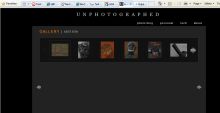
thank you
SteveJ
9-Sep-2010 DaveG: I guess there must be a minor IE version difference, since IE8 works for me on both sites. Normally I'd help correct this, but there is a pretty substantial update 'coming soon' for the underlying Galleria javascript library, so in this case I'm going to leave this for now, and re-visit IE8 when I've integrated the new library into the cookbook. I know that doesn't help you much, but hopefully provides some reassurance for the future.
More then one Galleries on one Page
23-Jul-2010 lexx
First please excuse my bad English.
I have a problem with it to produce more than one gallery on the same page.
When i use this code once in a page, everything is ok and looks good:
(:div id="demo":)
* Attach:Hamm/Peugeot1.jpg
* Attach:Hamm/Peugeot2.jpg
* Attach:Hamm/Peugeot3.jpg
* Attach:Hamm/Peugeot4.jpg
* Attach:Hamm/Peugeot5.jpg
* Attach:Hamm/Peugeot6.jpg
* Attach:Hamm/Peugeot7.jpg
* Attach:Hamm/Peugeot8.jpg
(:divend:)
(:div id="democontainer":)
(:divend:)
(:galleria list="#demo ul" image="#democontainer" carousel=true
animation="slow" fadein="500":)
When i now trying to add a second gallerie with other pictures below the
first gallerie at the same page, i see only strange things.
I see pictures from the second gallerie in the fist and vice versa. The
carousel is not working and things like this.
Now my question:
Is it possible to crate more then one galleries on the same page?
If yes, how can i do it?
I would be very grateful for help
best reagrds
Lexx
24-Jul-2010 DaveG: At the moment multiple galleries on a page is not possible. However, development on the next version of the underlying javascript library is underway, with a new release in a few weeks. The new version does support multiple galleries on a page. So stay tuned.
Thanks for the Information. You really made a great program. It is worthwhile to wait for the next version.
HTMLDocument has no method 'ready'
24-Jun-2010 Camille: I just installed galleria in my pmwiki setup and used the very same demo code to test it using 3 jpg files. Nothing happens, the pictures are shown in the UL but no javascript is executed. Looking further in the Chrome Javascript log, I see:
Uncaught TypeError: Object #<an HTMLDocument> has no method 'ready'
This refer to the very beginning of the galleria code in the HTML output:
 <script type="text/javascript">
 //<![CDATA[
 $(document).ready(function(){
 	$("#demo1 ul").galleria({
 		history   : false, // activates the history object for bookmarking, back-button etc.
 ...
Any idea about what's wrong?
$HTMLHeaderFmt, which relies on the HTMLHeader markup <!--HTMLHeader--> existing within the skin .tmpl file. In this case it sounds like the javascript isn't being included. You can verify this by checking the HTML source, for a line that looks like:
<script type="text/javascript" src="URL_TO_PUB_DIR/galleria/jquery.pack.js"></script>
24-Jun-2010 Camille: I use a custom skin, indeed. I added the HTMLHeader item to my template and galleria added all of its css/js, and it works. Thank you :)
Is there any way to get the list automatically from attachments?
Peter Bowers June 07, 2010, at 03:35 AM: I would prefer to use per-page uploads and not have to create the text as the source -- basically to have the same functionality but dynamically created from the current uploaded files. Possible? Maybe I'm missing some easy way to do this...?
(:div id="demo1":)
* Attach:gallery/image1.jpg
* Attach:gallery/image2.jpg
* Attach:gallery/image3.jpg
(:divend:)
(:galleria list="#demo1 ul" carousel=true:)
Can the auto (scroll) feature in jCarousel be used?
08-May-2010 Allan: First, this is great. Thank you! Now, I'm trying to get an autoscroll effect in Galleria for a homepage. I did some digging and clicking and saw that jCarousel has an auto (scroll) option. Is it possible to use this feature? (I did have a look at the contents of jquery.carousel.pack.js but it looked "packed"... that plus my non-existent javascript skills had me at a brick wall, unfortunately.) Thanks for your time.
8-May-2010 DaveG: Sorry, but I don't have time to test this myself, but from a quick looks like you'd need to manually call the jCarousel javascript routines to start and stop the scrolling. Be interested to know if you manage (or don't) to get it working.
- 12-May-2010 Allan: No problem. I'll give it a try and update here any success. Actually, without really knowing what I was doing, I did a hack of gallery.php and added "auto" (for auto scroll) in two places, under "scroll" (I copied the line for "scroll" and substituted to "auto" instead). The carousel did start to autoscroll! Except, the main image wasn't scrolling, and I couldn't get the carousel to "wrap". But that's ok, I'll keep trying! Thanks anyway :-)
Active Image not showing up in image container when page loads the 1st time in IE7
06-January-2010 DerekLerner: The active image is not presenting itself on load when using IE7. I tested locally with a clean install of pmwiki-2.2.8 using the default skin, only including galleria.php set to use the ie7 skin via config.php in order to isolate if any conflicts were taking place with any other cookbook recipes. Safari and Firefox are working perfectly for me. I noticed that the demo used at Isfjorden Webcam is running pmwiki-2.2.4. The active image does present itself when that page loads in IE7. Any help or suggestions will be greatly appreciated. I also have gotten an error message "jCarousel: No widht/height set for items. This will cause an infinite loop. Aborting..." As a side note I am using WineBottler on a Mac to run IE7 for testing.
How to make multi-galleria ?
03-august-2009 AlPasq: Hi, thanks for the job, my question, how to insert two or tree differents galleries with different listing in the same pmwiki page ? i try to make a different div id=, so i have two different carrousel but i have two identic expanded image. Solution exist ? Thx for your help.
3-Aug-2009 DaveG: At the moment this is not possible. The underlying libraries used do not support this. I'll add it to the future list of enhancements.
Small thing: galleria.php version number incorrect
31-July-2009 IDB: A very small point: the version name and number in galleria.php in the download package galleria.zip appears to be incorrect. The file contains the lines:
$RecipeInfo['pmGallery']['Version'] = '0.1.0';
$RecipeInfo['pmGallery']['Date'] = '2008-07-19';
when I believe it should be
$RecipeInfo['Galleria']['Version'] = '0.2.0';
$RecipeInfo['Galleria']['Date'] = '2008-12-08';
Too much copy-and-pasting? ;-)
Delete this comment if/when you wish
DaveG, 31-Jul-2009: Actually it should have been 0.3.0 -- the page info was wrong too :) Version numbers are all correct again.
Moving caroseul underneath main image?
29-July-2009 IDB: Is it possible to move the caroseul to underneath the main image? I can't work out how to do it.
29-Jul-2009 DaveG: Simply specify the target container using the image parameter, and position the target container where you need it. Refer to the demo for a sample.
- 29-July-2009 IDB: D'oh! NOW I see. Thanks for the prompt response. All adjusted now on my site.
How to adjust the dimension of image
22-Jun-2009 Mezquino: Hello. First of all, I apologize for my poor english. Because of that, I'll do it easy: What can I do to adjust the dimension of the final image that appears on the screen (not the littles images in the carousel) so that the image does not appear to normal size? I asked because I dont want, if I put an 1200x800 px image, it fills the screen. I hope I have been clear. Thanks.
23-Jun-2009 DaveG: Galeria will load the image into a container. By default Galleria creates this DIV container for you, using the CSS class "galeria_container". So you can simply style the container to restrict it's height and width. Specifically in config.php:
$HTMLStylesFmt['galleria'] = '.galleria_container img {height: 200px; width: 200px}'
Note, that setting both height and width may change the overall look of your image, since your image probably isn't square. So usually just set either the height or the width.
Alternately you can use the parameter 'image' to specify an alternate DIV container, which you'll need to make sure is created.
Question about where to put the images
2-Jun-2009 Burialmound: Hi there. I have a silly question: where exactly do I put my images so that they are loaded?
2-Jun-2009 DaveG: At the most basic level simply attach the images to PmWiki as you would any other image in PmWiki, and then put the URLs/links in a list. Alternately you could store images in Picasa, and use PmGallery to refer to the images.
8-Jun-209 Burialmound: Hi there DaveG, thanks for your help. I must say that the images I want to upload will be stored somewhere in my company server. However, I don't how to point to those images, so that they are loaded by our wiki here.
9-Jun-2009 DaveG: If they are stored elsewhere simply point to them using their URL -- you don't need to load them into the wiki. If you want to load them into the wiki use Attach:. You first step need to be to simply display the image on a wiki page -- nothing to do with Galleria. Once you have the image displayed, then start working with Galleria.
Observation about browser dependency
Des April 22, 2009: Hi. Thanks for the recipe, I seem to have it working and styled broadly as I'd like it on my site, but have found that the thumb styling shows browser dependency.
IE is just about ok (there seems to be a little clipping error on the last thumb shown beside the Next button), while browsers like Firefox and Google Chrome fail to show the number of images requested by visible= and try to show anything up to 17 thumbs in the carousel regardless of the number requested.
I have been trying to track down the source, but the CSS is interpreted differently when tools like Firebug are activated in Firefox, eg the Prev and Next buttons disappear, and the number of thumbs changes. I'm no expert, so am struggling.
The effect can be seen at www.secretscotland.org.uk/index.php/Secrets/CoastalBatteryToward which I've been using to test the recipe, and shows the effect in the different browsers. The wiki page is open to edit if you wish to vary the parameters.
Question about usefull features
Gre: Hi. I like the gallary very much, but I realy miss some features below.
Reposition the carousel
How do you move the carousel EASY in a position of my choice relative to the image? I managed somehow to realize but it took very long :( .
DaveG: You should be able to do this with CSS. It sounds like you managed, but let me know if you need something specific. The answer above regarding Centering might provide some guidance.
Link to larger image
If "clicnext = false" then I would like to put a link on the image to view a bigger image by click:
for example:
%newin%[[Attach:P5123230_bigger.jpg|Attach:P5123230.jpg]]%newin%[[Attach:P5123234_bigger.jpg|Attach:P5123234.jpg]]...
DaveG: In general I'd say use something like ThickBox to provide that functionality. However, I'll do some work to make sure Galleria works well with these kinds of recipes, and perhaps add a 'new-window' option.
Add a description
Have the possibility to ad a title or a description to the Images, maybe also a short title to the thumbs.
Des April 20, 2009: This may help for the large image, but not the thumb: If a comment is added to the image in Picasa, then it will appear under the large image when it is shown in Galleria.
DaveG 22-Apr-09: The problem with adding a description to the thumb is simply the length of the text in comparission to the image size. I think though that I made the description appear as the 'hover-caption' for the image -- I'm not in a position to confirm that right now though. If it doesn't do that, then I'll add it.
Question about centering the carousel
Hello. I am a very new user of pmwiki (and I am french, so excuse me if you do not understand me). I would like to know if it is possible to center the carousel, and to left a bigger blank between the carousel and the displayed picture ? Thank you very much for your work, it is really awesome.
- Centering a carousel: in the CSS add:
.jcarousel-container {margin-left: auto; margin-right: auto;}
- Centering the image: in the CSS add:
.galleria_container {text-align: center;}
- Bigger gap between carousel and picture: in the CSS, add:
.jcarousel-skin-tango {margin-top: 20px;}
Question regarding thumbs size (0730-2008 23:00 GMT+1)
I'm using galleria toghether with pmgallery, and I found the thumbs size parameter in pmgallery very useful. Is it any way to make galleria have a similar option, to increase or decrease the size of each thumbnail image inside the carousel?
30-Jul-2009 DaveG: Unfortunately I'm not in a position to check right now, but you should be able to use the 'height' and 'width' parameters to change the size of the images. You may also need to change the size of the CSS container object as well.