
YAG
When tried in 2013 it did not work for a wiki hosted on my own server. I (Engineeral) made it work for that application. I have not tested other picture directories arrangements.
Original Download: YetAnotherGallery.phpΔ (check file consistency)
Dec 2014 Download: YetAnotherGallery2.phpΔ
Contents
Questions answered by this recipe
Q: I have a large number of images in a folder, for which I need to create a thumbnail gallery. Since the number of images is large, I would like the gallery to be distributed over multiple pages. Is there a recipe that will do that for me?
A: Yes, YAG exactly does that. It is designed for creating large thumbnail galleries distributed over multiple pages. It is easy to use and can be customized with many features. You can include multiple images using range syntaxes in a single line, as well as use wildcards for searching a local folder and displaying multiple images from it. In addition, for a gallery you can mention a 'base URL' for the location of the images, thus avoiding the task of writing long URLs multiple times for every image. Display options include linking thumbnails to original images, or displaying the original images in a container in the gallery itself.
Description
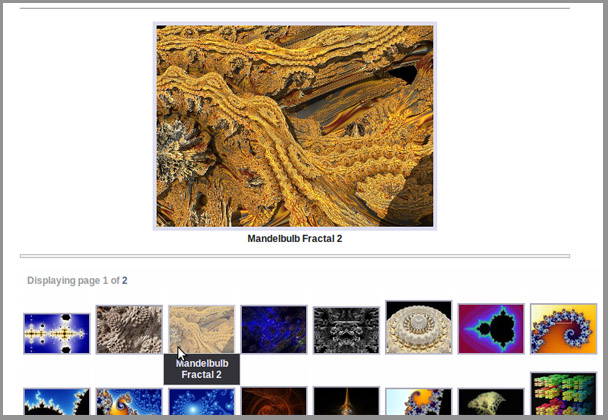
YAG (Yet Another Gallery tool) for PmWiki enables creation of thumbnail galleries from a list of images. The gallery can be display over multiple pages. The thumbnails are created using the 'convert' utility and are cached in a cache folder. It comes with quite a few options, for example in a gallery it lets one mention a 'base URL' for the location of the images, thus relieving the task of writing long URLs (or paths) multiple times for every image. The images can be located in the upload folder of PmWiki (attachment with the same or different page), some other local folder (e.g. pub folder), as well as they can be located externally (images from the WWW). Multiple images (range of images with similar names) can be included using range/wildcard syntaxes. Multiple images from local folders can be included using the '*' wildcard. Display options include linking thumbnails to original images, or displaying the original images in a container in the same page as the gallery. One can use simple custom PHP functions for generating HTML for the gallery..
DemonstrationsLive Demonstrations: For live demonstrations visit
InstallationInstalling YAG is as simple as it can get:
Dependencies: convert : This utility is a part of the ImageMagick package. It is used to create the thumbnails and store the smaller images in the cache. To check if the utility is installed, just type 'convert' in a terminal. Ubuntu Linux hosts can simply install the 'imagemagick' package for installing the utility. Upgrading to v1.9: If you had created a custom container type or redefined any of the ' Use YAG [ option1=o1, option2=o2, ... ]
{
url_or_path | caption &&
url_or_path | caption &&
...
}
|
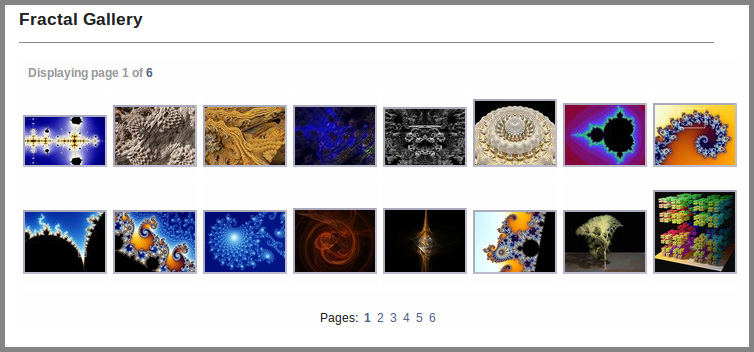



1. The basic use of 'urlbase' option:
YAG [ urlbase = "http://www.sitewithprettyimages.net/files/images/" , cols=3, maxrows=5] { IMG_001.jpg | The caption \n can be split \n into multiple lines && IMG_002.jpg | Another caption &&--http://www.anothersite.com/images/IMAGE_01.png| This does not use <b>'urlbase'</b> due to the preceding "--" }
2. One can use images from local attachments, local paths as well as images from WWW. Whitespaces do not matter.
   YAG[style='div,nofoot', containerheight=300]
   {  http://upload.wikimedia.org/wikipedia/en/c/ca/Pmwiki-32.png | PmWiki logo from Wikipedia &&
      Attach:file.jpg | Uploaded image  &&  Attach:Group.Page/file2.jpg | Uploaded image from a different group
      pub/publicimages/photo.jpg | This is a photo from the pub folder. }
3. URL range - the following creates gallery using images fracday0.gif, fracday1.gif, ..., fracday9.gif from http://sprott.physics.wisc.edu/fractals/:
   YAG [urlbase="http://sprott.physics.wisc.edu/fractals/",name="frac",cols=4,maxrows=1,container='self']
      { fracday[%d<<range:0,9].gif | Fractal number [*] }
4. Search local folder - the following creates gallery using all images under the folder pub/publicimages/ (relative to pmwiki's root folder):
   YAG [name="pubphotos",cols=5,maxrows=3]
      { pub/publicimages/[*].jpg | Photo file [*] }
5. Specify local folder (December 2104 version) - the following creates a gallery using the images specified. This is the only method I (Engineeral) have tested:
YAG [name="SomeDumbDirectory",cols=5,maxrows=5,refreshcache=yes]
{ /home/SomeDumbUser/www/wiki/pub/SomeDumbDirectory/filename01.jpg | caption for filename01.jpg
  /home/SomeDumbUser/www/wiki/pub/SomeDumbDirectory/filename02.jpg | caption for filename02.jpg
  /home/SomeDumbUser/www/wiki/pub/SomeDumbDirectory/filename03.jpg | caption for filename03.jpg
     "etc."
}
Note: 'container' option has been superseded by 'style' option since v1.9. 'container' option is, however, still supported. See below for details.
Markup options
The following options can be used with the markup for any gallery.
| Option | Description | Default |
| cols | Number of columns to display in each page of the gallery. | 4
|
| maxrows | Maximum number of rows to be displayed in each page of the gallery. Set maxrows=0 for displaying all the images in a single page. This also removes the page indicator on the top and the page list at the bottom of the gallery.
| 5
|
| imgmaxwidth | Maximum width of each image thumbnail (in pixels). | 150
|
| imgmaxheight | Maximum height of each image thumbnail (in pixels). | 250
|
| urlbase | The string to be appended at the beginning of every URL/path mentioned in the gallery. Base URL can be in uploads folder or an URL from WWW. e.g. urlbase=http://mysite.com/ or urlbase=Attach:Group.Page/. It is possible to exclude one or more urls/paths from 'urlbase' being appended to the beginning by preceding the urls/paths with "--" (without the quotes).
| (empty) |
| containerwidth | Width of the container. (not applicable for 'self' container) | 500
|
| containerheight | Height of the container. (not applicable for 'self' container) | 600
|
| ['container' option has been superseded by 'style' option since v1.9] |
Describes where to display the original image upon clicking a thumbnail. popup - Displays original image in a pop-up window. The same pop-up window gets updated when another thumbnail is clicked. div - Displays original image in a 'container' (div block) in the same page as the gallery. The image is displayed above the gallery. Upon clicking a thumbnail the content of the container gets updated. lfloat - Similar to 'div'. The image is displayed on the left of the gallery. Upon clicking a thumbnail the content of the container gets updated. self - Displays the original image in the same window as the gallery (unlike 'div' and 'lfloat', this does not show the image along with the thumbnails). custom - It is possible to create a custom container style. It requires adding an array value with the custom key to the | "popup"
|
| style [supersedes 'container' option] | A comma-separated list of style attributes. Each item in the list can be chosen from the following sets (at most one from each set). If no value is chosen from a set, the set's default is used.
Container type - Specifies the type of container. A valid value can be
popup
div
lfloat
self (default)
or a custom value. For custom value, one needs to add the custom key to the Caption position - Specifies the position and visibility of caption. A valid value can be
hiddencaption (default)
rightcaption
or a custom value. For custom value, one needs to add the custom key to the Header style - Specifies whether a header is displayed. A valid value can be
head (default)
nohead
Footer style - Specifies whether a footer is displayed. A valid value can be
foot (default)
nofoot
Examples:
style='lfloat,rightcaption,nofoot' ; style='popup,nohead'Note: Do not use the word '
default' in the style string. Just omit the style attribute for the corresponding set to use the default. | "hiddencaption,popup"
|
| customPHPhandler [For advanced users only. Can be used only when $YetAnotherGallery->allowCustomPHPhandler PHP variable is set to true.]
| Can contain name of a user-defined PHP function that would generate the HTML for a particular page of the gallery. If set, 'style' option will be ignored. This function (needs to be declared in config.php or any of the PHP scripts that it includes) is called by YAG with the appropriate input parameters. It takes in two parameters:
$images is an array, each element of which is an object with the fields 'URL', 'Caption' and 'thumbURL', respectively containing the complete web-accessible URL of an image (after all proper substitutions being made), the caption for the image, and the complete URL of to the thumbnail of the image generated by YAG.
$options is an associative array with key-value pairs of option names and values passed through the YAG markup.
| null
|
| captiontype | The type of the captions. It is a comma-separated list of two type attributes:
Whether the caption is linked: Possible values are linked or free.
Type of text in caption: Possible values are nohtml, wiki, basichtml or fullhtml
Examples:
captiontype='free,wiki' | "linked,basichtml"
|
| refreshcache | Set this to yes to re-create every thumbnail in the gallery each time they are displayed. Valid values are "yes" and "no".Tip: When you are designing a gallery (i.e. have not finalized the number of columns/rows or the size of the thumbnails and are playing around with those options), always have refreshcache = yes set. This will ensure that the thumbnails are recreated with the changes you make.
| no
|
| name | In case there are multiple galleries in the same page, an unique name needs to be declared for each gallery. The unique names enable proper navigation between the pages of the galleries. It can be any alphanumeric string.
| (empty) |
| convertoptions | The option string used by 'convert' utility for creating the thumbnails. One can use the placeholders {imgmaxwidth} and {imgmaxheight}. Refer to ImageMagick website for more details. | "-resize {imgmaxwidth}x{imgmaxheight}"
|
URL/path format, range declaration, glob pattern and backreferences
An 'url_or_path' can contain a range or list for including multiple files in a single line. Alternatively it can contain a wildcard to search a local folder to include multiple images in it. Below is a brief description of the syntax of 'url_or_path' and 'caption'
url_or_path:
- General format of 'url_or_path':
path/to/file.ext. - 'urlbase', if defined in the options, will get appended to the beginning of each declared URL/path when the final URL is formed (or path is looked up). However individual URLs/paths can be exempted from this rule by preceding them with "--" (without the quotes).
- 'url_or_path' can contain a single sequence of wildcard enclosed in [...]: e.g.,
path/to/multiple[WildcardString]folders/or/files.ext, where,
[WildcardString] is of one the two possible formats:
[sprintfString<< part1:p1,p2,...; part2:q1,q2,...; ... ]
where,sprintfStringis a valid PHP sprintf format string (without quotes or whitespaces) with a single type specifier (see sprintf manual)- ' partn ' can be 'range' or 'list'
- If it is 'range', the format isrange:start,end,step(see PHP 'range' function)
- If it is 'list', the format islist:item1,item2,...(see PHP 'array' function)
One can have multiple of these specified in series.
[wildcard_containing_asterix], wherewildcard_containing_asterixcan contain a wildcard pattern recognized by the PHP glob function. A valid example of such a URL/path will bepath/[*/*.ext], which will search the folderpathand all its subfolders for all files with extension 'ext'.
[Note: The exact position of the square brackets do not matter as long as the complete pattern is enclosed inside it. The content of the square brackets are however used for the back-reference in the caption.]
First type of WildcardString:
IMG_[%03d<<range:1,998].pngwill include all the images fromIMG_001.pngtoIMG_998.png.FILE[%s<<range:a,f].jpgwill include all the imagesFILEa.jpg,FILEb.jpg, ... ,FILEf.jpg.SameName.[%s<<list:png,gif,jpg]will include the imagesSameName.png,SameName.gifandSameName.jpg.IMG_[%d<<range:1,9,2].pngwill include the imagesIMG_1.png,IMG_3.png,IMG_5.png,IMG_7.pngandIMG_9.png(i.e. 1 to 9, but with increment/step of 2).Folder[%d<<range:1,3;list:7,9,13;range:20,24,2]/file.pngwill include imagesFolder1/file.png, Folder2/file.png, Folder3/file.png, Folder7/file.png, Folder9/file.png, Folder13/file.png, Folder20/file.png, Folder22/file.png,andFolder24/file.pngin that sequence.
Second type of WildcardString:
pub/images/[*/*].pngwill search for all PNG files insidepub/images/folder and its subfolders, and include them in the gallery.Attach:[*.png]will search the upload folder corresponding to the current page for all PNG files, and include them.
caption:
- Can contain '\n' to indicate line break as well as the basic HTML formatting tags like '<i>', '<font>', etc.
- Can contain [*] that is substituted by a simple backreference from url_or_path's [...] block (described above).
- A string containing '*k ' - If k is an integer, this uses k backreferences from the url_or_path's [...] block in place of '*k' in the string. e.g.
[%s<< list: First, Second; Image no *2; list: Fifth, Sixth]. If k is omitted (or something other than an integer), all the captions corresponding to the rest of the URLs/paths in the declaration are created using this format. - '.m ' followed by a string - If m is an integer, this uses m instances of a constant string. e.g.
[%s<< list: First, Second; .2 Same Caption for 2 images; list: Fifth, Sixth]. If m is omitted (or something other than an integer), all the captions corresponding to the rest of the URLs/paths in the declaration are created using this format.
1.
YAG [ urlbase="http://", name="myimages", cols=4, maxrows=1, style='div'] {www.mysite.com/IMG_[%d<<range:0,9].jpg | This is image number [*] && www.anothersite.com/anotherImage.bmp | Another image &&-- Attach:localImage.gif| This is an attachment image and is not to be started with "http://" }
is equivalent to writing
  YAG [ urlbase="http://", name="myimages", cols=4, maxrows=1, style='div']
     { www.mysite.com/IMG_0.jpg | This is image number 0 &&
       www.mysite.com/IMG_1.jpg | This is image number 1 &&
       www.mysite.com/IMG_2.jpg | This is image number 2 &&
       www.mysite.com/IMG_3.jpg | This is image number 3 &&
       www.mysite.com/IMG_4.jpg | This is image number 4 &&
       www.mysite.com/IMG_5.jpg | This is image number 5 &&
       www.mysite.com/IMG_6.jpg | This is image number 6 &&
       www.mysite.com/IMG_7.jpg | This is image number 7 &&
       www.mysite.com/IMG_8.jpg | This is image number 8 &&
       www.mysite.com/IMG_9.jpg | This is image number 9 &&
       www.anothersite.com/anotherImage.bmp | Another image &&
       -- Attach:localImage.gif | This is an attachment image and is not to be started with "http://" }
2.
YAG [ urlbase="http://", style='lfloat'] {www.mysite.com/IMG_[%d<<range:0,11].jpg | This is [%s<< image num *3; list: my photo, Bob's photo, Nancy's photo; .2 unknown; *th image] }
is equivalent to writing
  YAG [ container='lfloat' ]
     { http://www.mysite.com/IMG_0.jpg | This is image num 0 &&
       http://www.mysite.com/IMG_1.jpg | This is image num 1 &&
       http://www.mysite.com/IMG_2.jpg | This is image num 2 &&
       http://www.mysite.com/IMG_3.jpg | This is my photo &&
       http://www.mysite.com/IMG_4.jpg | This is Bob's photo &&
       http://www.mysite.com/IMG_5.jpg | This is Nancy's photo &&
       http://www.mysite.com/IMG_6.jpg | This is unknown &&
       http://www.mysite.com/IMG_7.jpg | This is unknown &&
       http://www.mysite.com/IMG_8.jpg | This is 8th image &&
       http://www.mysite.com/IMG_9.jpg | This is 9th image &&
       http://www.mysite.com/IMG_10.jpg | This is 10th image &&
       http://www.mysite.com/IMG_11.jpg | This is 11th image
     }
3.
YAG [ urlbase="Attach:", name='searchedImgs' ] {img[*].jpg | This is image [*] }
assuming that the upload folder of the current page contains the JPG image files imgBob.jpg, imgNancy.jpg, Harry.jpg, imgTom.jpg, img_001.jpg, Img002.jpg, the above is equivalent to writing
  YAG [ name='searchedImgs' ]
     {
       Attach:imgBob.jpg | This is image Bob &&
       Attach:imgNancy.jpg | This is image Nancy &&
       Attach:imgTom.jpg | This is image Tom &&
       Attach:img_001.jpg | This is image _001
     }
Note: The 'url_or_path' and 'caption' themselves cannot contain the character '}', and the character sequence '&&'. The 'url_or_path' cannot contain the character '|'. And, the contents inside the placeholder @[...]@ in 'url_or_path' or 'caption' themselves cannot contain the characters ']', ';', ',' and the sequence '<<'. Use hex encoding for special characters in 'url_or_path', and HTML special character encoding for those in the 'caption'.
If you intend to make basic use of YAG you may want to skip to the Troubleshoot & FAQs section.
PHP variables
The following PHP variables can be set in config.php:
| Variable | Description | Default |
| The folder that is to be used as the cache. | |
| The URL to the cache folder accessible to the world. | |
| If set to true one can pass a GET parameter to the URL of the current page, YAGrefresh=yes, to refresh the cache for the galleries in the current page
| false
|
| If YAG detects that a file (provided as an URL) is local and can be fetched locally, it does so if this variable is set to true. May cause problems if the server settings are unconventional.
| true
|
| Setting this to true enables the customPHPhandler option, which can be used to create custom styles galleries.WARNING: This is a potential hazzard if enabled in a public wiki. | false
|
| Default value for the 'cols' option.
| 4
|
| Default value for the 'maxrows' option.
| 5
|
| Default value for the 'imgmaxwidth' option.
| 150
|
| Default value for the 'imgmaxheight' option.
| 250
|
| File type for the thumbnail images. | "jpg"
|
| Default value for the 'style' option.
| "hiddencaption,popup"
|
| Default value for the 'captiontype' option.
| "linked,basichtml"
|
| Default value for the 'containerwidth' option.
| 500
|
| Default value for the 'containerheight' option.
| 600
|
| Default value for the 'convertoptions' option.
| "-resize {imgmaxwidth}x{imgmaxheight}"
|
| CSS style for each table cell containing the thumbnails. | array( 'default' => "border: solid 2px #cccccc;" )
|
| CSS style for the DIV block containing each thumbnail image. | array(
|
| CSS style for each thumbnail image. | array(
|
| CSS style for the captions. | array(
|
| Javascript for MouseOver event. | array(
|
| Javascript for MouseOut event. | array(
|
| The header of a gallery. Can contain the variables $PageNo, $GalleryName and $PagesCount.
| array(
|
| An array describing the footer of a gallery. Can contain the variables $PageNo, $GalleryName and $PagesCount.
| array(
|
| An array containing the HTML of the different containers. Needs to be declared only for same-page containers (like 'div' and 'lfloat'). Can contain the variables $PageNo, $GalleryName, $PagesCount, $containerwidth and $containerheight.
| array(
|
| An array containing the Javascript content of the thumbnail click handler function. Can use javascript variables url, caption, num, GalleryName
| array (
|
Troubleshoot & FAQs
Q: The thumbnails are not being displayed.
Q: I changes the values of 'cols' and 'maxrows'. The gallery is now looking weird (thumbnails overlap on each other, or are not of the right size).
Make sure you do the following whenever you change the values of 'cols' or 'maxrows':
a. Change the values of 'imgmaxwidth' and 'imgmaxheight' to indicate the desired size of the thumbnails, and
b. Refresh the cache for all the pages of this gallery (i.e. set
refrechcache=yes, followed by visiting each page of the gallery)
Q: I updated an image, but the old thumbnail is still showing.
Q: I changes the values of 'imgmaxwidth' and 'imgmaxheight'. But the size of the thumbnails has not changed!
Q: How do I clear the cache?
refreshcache = yes. Then, upon visiting every page of the gallery the thumbnails will be regenerated. For completely clearing all the images in the cache you'll need to manually delete the files in the 'pub/YetAnotherGalleryCache' folder. To prevent accidental clearing of the cache no markup option is provided for this.
Tip: When you are designing a gallery (i.e. have not finalized the number of columns/rows or the size of the thumbnails and are playing around with those options), always have refreshcache = yes set. This will ensure that the thumbnails are recreated with the changes you make.
Q: An URL I need to use has the characters '[', ']' or '&&'. These conflict with the syntax. What can I do?
Q: It seems YAG can fetch and display images from domain/site outside my wiki, but not the ones from folders in my wiki.
$YetAnotherGallery->fetchLocalFileLocally = false;
config.php.
Q: I see the same thumbnail for two different images!! What's going on?
Release notes
Restriction on syntax of options string relaxed;
URL range introduced;
Convert options, header format and footer formats introduced as parameters.
Container options introduced.
Some security enhancement made (for more reliable public use of YAG in blogs, etc.).
'lfloat' container introduced.
A few other minor additions.
Some bug fixes. 'style' option introduced.
GET parameter
YAGrefresh introduced; Allows provision for fetching of local files locally; Allowed local paths to images; Allows glob search pattern for local files and paths; Unique thumbnail for each gallery; CustomPHPhandler introduced
See also
Contributors
- Subhrajit -- author
Comments
Please use the YAG-Talk page for comments and discussions.
User notes : If you use, used or reviewed this recipe, you can add your name. These statistics appear in the Cookbook listings and will help newcomers browsing through the wiki.