
InputDraw
Questions answered by this recipe
How can I draw pictures in PmWiki without Java runtime?
Description
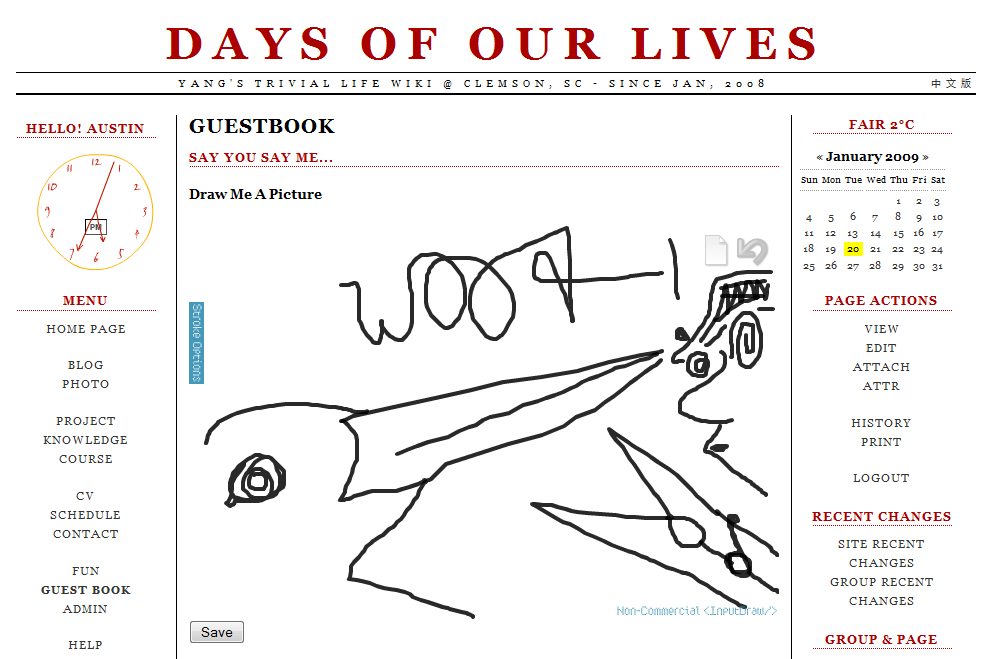
InputDraw is an Easy, Cross-Browser, Form Integrated Flash Draw Widget.
It is developed and maintained at http://www.mainada.net/inputdraw, which provides a simple way of enjoying online drawing. It supports viewing, editing and saving SVG image format.
With this recipe, InputDraw can be easily integrated into PmWiki as an online paintor and a SVG image viewer.
Notes
You need to have flashplayer and javascript support in your browser to use this recipe.
Screenshot
Installation & Setup
Installation
- Download inputdraw.zipΔ (inputdraw.zip)
- Exact inputdraw.zip directly into your pmwiki directory
Setup
- Add include_once("
$FarmD/cookbook/inputdraw.php"); into your local/config.php
How to Use
Simply use "(:inputdraw filename.svg:)" wherever you want to use InputDraw. Press Save button below the canvas when you are done drawing. (Please note that you will need upload authorization of current Group/Page to save image file.)
If you want to use InputDraw as a viewer, use "(:inputdrawview filename.svg:)" instead.
More Advanced Usage
The Markup inputdraw and inputdrawview takes four parameters:
(:inputdraw filename.svg width height background_image_url:)
Note that width, height and background_image_url are optional.
width and height should be a valid integer number or a percentage. background_image_url should be a valid address to an image file.
Example
http://www.parl.clemson.edu/~wuyang/Main/GuestBook
(:inputdraw inputdraw.svg 90% 300:)
Release Notes
See Also
License (contained in the download is the free version)
- Free Non-Commercial License (from http://www.mainada.net/inputdraw)
The non-commercial version is entirely free. You can use it as much as you like it. We do encourage you to make something of it. Incorporate it in your non-commercial projects.
- Commercial License
A commercial license needs to be purchased from widget author's website.
Contributors
- InputDraw Widget: http://www.mainada.net/inputdraw
- This Recipe: Austin
Comments
See discussion at InputDraw-Talk
User notes? : If you use, used or reviewed this recipe, you can add your name. These statistics appear in the Cookbook listings and will help newcomers browsing through the wiki.